This tip sheet is designed to assist parents/guardians with logging into the MyEd Parent Portal. The parent portal contains student demographic information, records of academic achievement, assessment records, and current learning updates. If you have any questions regarding the use or functionality of the MyEd Parent Portal, or need assistance with your account login, please contact your child’s school.
For technical or account login support, please email myedparentportal@sd38.bc.ca.
For a video walkthrough tutorial, please click here.
Initial Log In
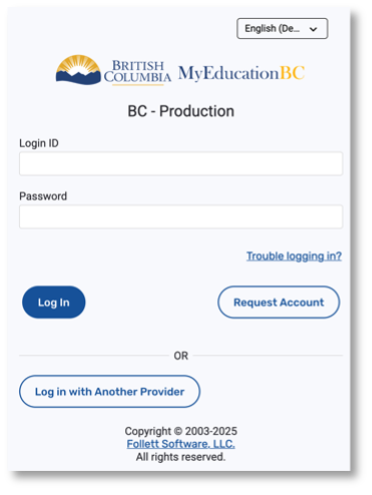
A login ID and a temporary password would have been provided to you by email at the time your account was created. The email would have come from sysadmin@myeducation.gov.bc.ca.
Access the MyEd website here: https://www.myeducation.gov.bc.ca
|  |
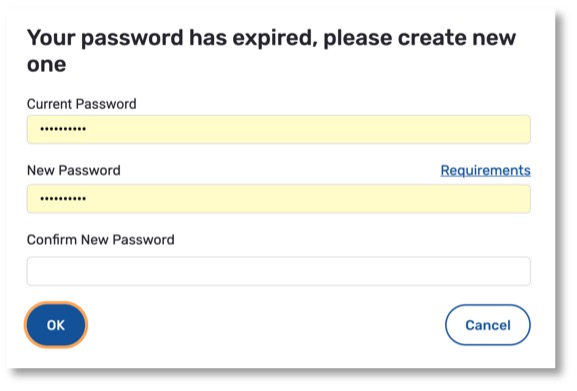
Upon your first login, you will be prompted to change your password. ‘Current Password’ is the temporary password you were provided or the password that you may have already created. Enter a ‘New Password’ and ‘Confirm New Password’ following the requirements listed below. Please note, you will need to delete the dots (••••••••••) from the Current Password and New Password fields before you start typing.
Password Requirements
|  |
During your first login, you will be prompted to confirm your email address and enter your security preferences by choosing a security question and answer that you will remember. This will allow you to use the ‘Trouble logging in’ or ‘Forgot my password’ function on the login page, should you need to reset your password or find out your login ID. |  |
Once Logged In
After you’ve logged in, the account is activated. You would have also set the security preferences and password; therefore, you will only need your login ID and password for future logins. If you forget your password, see instructions below under Password Recovery.
Setting Preferences
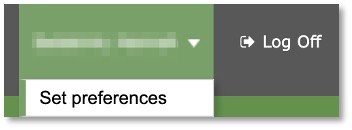
After you have logged in, you can make changes to your preferences by selecting the drop-down arrow beside your name and ‘Set Preferences’ on the top right of the screen.
Password Recovery
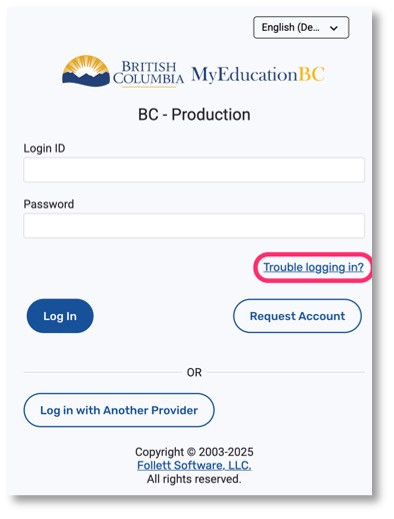
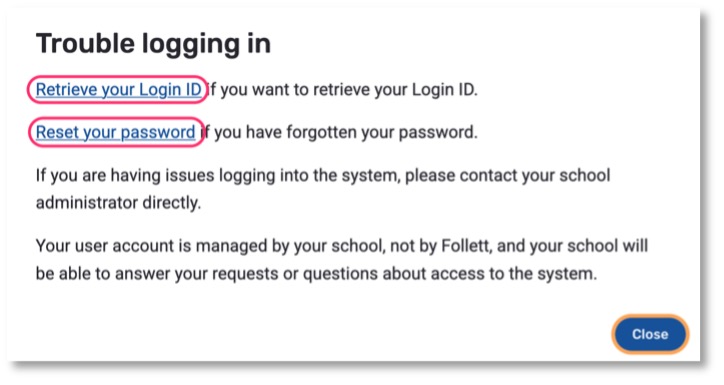
If you forget your MyEd Parent Portal password or your login ID, you can click the ‘Trouble logging in’ link on the login screen and then either ‘Retrieve you Login ID’ or ‘Reset your password’.
 |
 |
Viewing and Saving your Child’s Learning Update
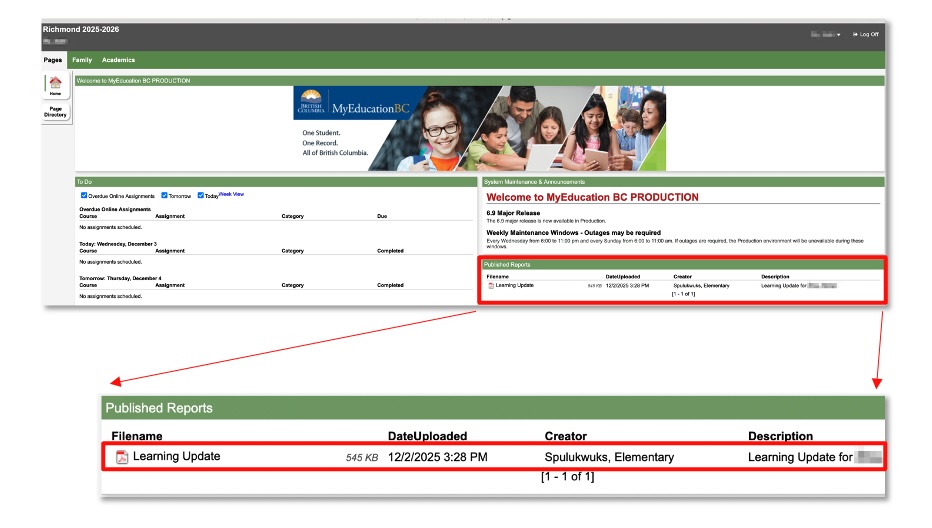
You will receive an email once a learning update is published to the MyEd Parent Portal. Once logged in, the report card will appear within the ‘Pages’ tab, under the ‘Published Reports’ section.
Click on the report card link to view.
Please download and save this learning update to your device, as it will be removed from the MyEd Parent Portal approximately four weeks after it is posted.
For support, please contact your child’s school or email myedparentportal@sd38.bc.ca.